Complete Manual
How to use Signal Opportunity — everything, with pictures
From opening an account, depositing and withdrawing, reading signals and verified arbitrage, trading tokens, all the way to copying Polymarket traders — with every fee stated. Read this one page and you know the whole system.
Start here
What Signal Opportunity is
Signal Opportunity is an opportunity intelligence platform. It watches official markets and sources all day, verifies what it finds, scores every opportunity from 0 to 100, and puts five tools in your hands: Signals, Verified Arbitrage, the Trade terminal, Polymarket Copy Trading and Jobs — all funded from one wallet.
- 1
One wallet powers everything
You deposit USDT once. That balance funds token trades, copy trading and Premium-related activity, and you withdraw from the same place.
- 2
Facts and AI opinion stay separated
Every card labels what is a hard fact from the source, what is live market data, and what is AI analysis. You always know which is which before you act.
- 3
You decide, always
The platform never becomes your counterparty and never promises an outcome. It finds, checks and ranks; you choose.
Step 1
Open your account
Sign up with an email you actually use — verification codes, alerts and receipts all go there.
- 1
Enter email and password
Open the Sign up tab, type your email and a password of at least 8 characters, then press Create account. You can also continue with Google in one tap.
- 2
Type the 6-digit code
We email you a 6-digit code. Enter it on the same screen to confirm the address belongs to you. If it does not arrive in a minute, check spam and press Resend.
- 3
Add your phone number
Choose your country, enter your mobile number and confirm the SMS code. The phone number is what mobile-money payments and security notices use.
- 4
Forgot the password?
Press “Forgot password” on the login screen, enter your email, and follow the reset link we send you.
Step 2
Deposit money into your wallet
Your wallet holds stablecoins (USDT / USDC.e). Deposits arrive on-chain, so the network and the asset must match exactly.
- 1
Open Wallet → Deposit
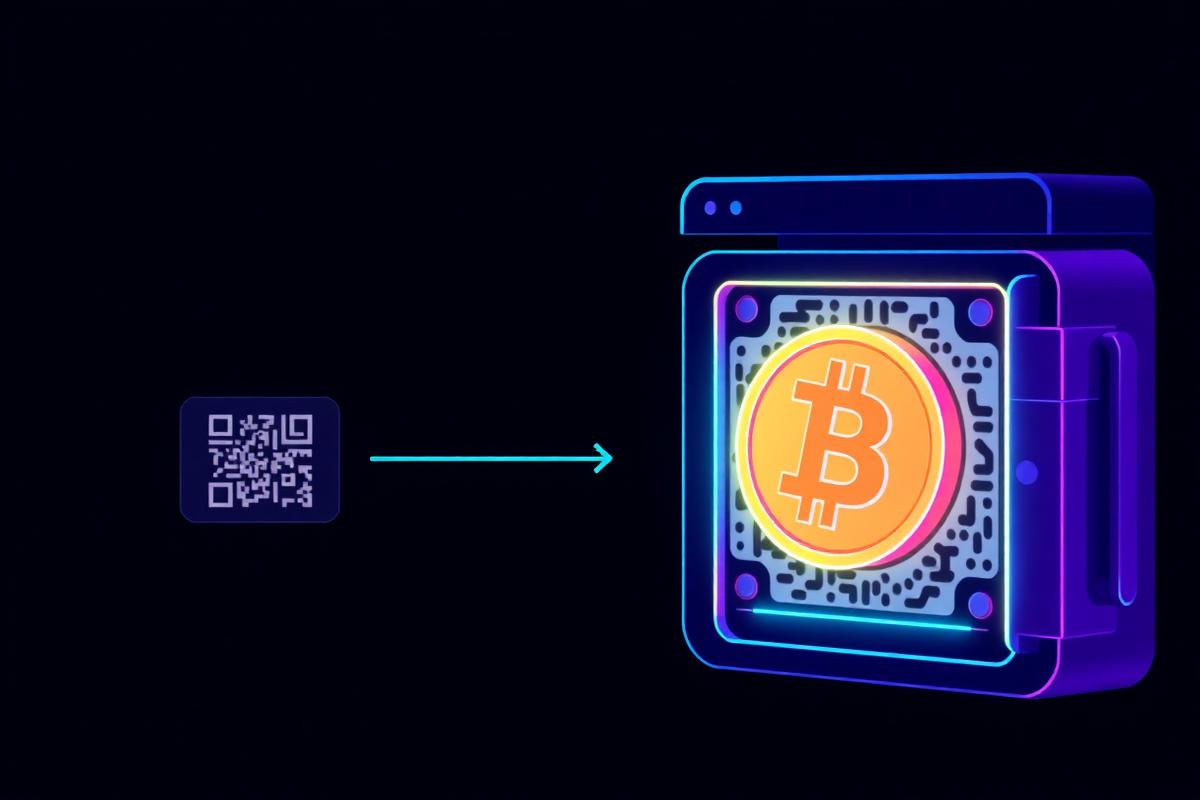
Go to the Wallet page and press Deposit. Your personal deposit address is generated once and stays yours.
- 2
Choose the network
Pick Polygon, BNB Smart Chain (BEP-20) or Solana (SPL). Polygon USDT is the primary balance and the one trading and copy trading use directly.
- 3
Copy the address or scan the QR
Send from your exchange or wallet to that exact address, on that exact network. Sending on a different network can lose the funds permanently.
- 4
Wait for confirmations
The scanner watches the chain continuously. Once the transaction has enough confirmations the deposit shows as CONFIRMED with a receipt and a transaction hash you can verify on the explorer.
- 5
The fee is taken once, on arrival
A 5% deposit fee is deducted when the deposit is credited. If you send $100, your balance shows $95 and the ledger shows both entries.
- Deposit fee
- 5%
- Networks
- Polygon · BNB Smart Chain · Solana
- Assets
- USDT · USDC.e
- Minimum deposit
- No fixed minimum
Never send a token the address does not support, and never send on a network you did not select — those funds cannot be recovered.
Step 3
Withdraw your money
Withdrawals go back on-chain to an address you control. Every request is recorded and tracked to a transaction hash.
- 1
Open Wallet → Withdraw
Choose the asset and the network you want to receive on, then paste your destination address. Check the first and last characters carefully.
- 2
Enter the amount
You can type an amount or press Max. Only settled, available balance can be withdrawn — funds locked in an open copy-trading strategy must be released first.
- 3
Read the quote before confirming
The screen shows gross amount, the 81% withdrawal fee and the exact net you will receive. Your balance is debited the full request; the network receives the net.
- 4
Track it to the hash
The request moves through PENDING → PROCESSING → CONFIRMED with a timeline. When it confirms you get the transaction hash and an e-mail receipt.
- Withdrawal fee
- 81%
- Minimum withdrawal
- None
- Example
- $100 → fee $81 → you receive $19
The destination address must be on the network you selected. An address pasted from a different chain will fail or lose funds.
Intelligence
Read a signal correctly
A signal is a checked opportunity with a direction, a score and a reason. Read it in that order and it takes ten seconds.
 Free today
Will Solana close above $220 this month?
Why? Price has trended up for 7 days and market evidence supports YES.
Confidence
HIGH · 82
Payout example
$20 → $29
Every card shows its own subject: a Bitcoin market shows Bitcoin, a Solana market shows Solana.
- 1
Direction — BUY YES or BUY NO
This is the side the evidence points to for that specific market question, not a general prediction about the asset.
- 2
Score 0–100 and confidence
The score ranks the opportunity against everything else in the feed. Confidence says how strong the underlying evidence is; the probability bar shows what the market itself is pricing.
- 3
Risk, urgency and freshness
Every card carries a risk band, how quickly the window closes and when the data was last refreshed. Old data is decayed automatically, not hidden.
- 4
Reason and payout example
The short reason explains why the signal exists; the payout example shows the scale on a hypothetical stake. It is an illustration, not a promise.
- 5
Free vs Premium
A free account sees the feed, scores and quality bands plus 2 unlocks per day. Premium opens full reasoning, payout maths, market links and unlimited unlocks.
Intelligence
Verified arbitrage
Two sides of the same event priced below 100% in total. We only publish one after the maths survives fees.
Will the rate cut happen in September?
Total cost
$0.95
Net ROI (after fees)
+3.8%
- 1
Read both legs
Each opportunity shows leg A, leg B, the venue of each and the combined cost. If the combined cost is below 1.00, a gap exists.
- 2
Check the verification badge
Before publishing we test executable quotes, liquidity depth, price freshness and that both venues resolve the identical question. Anything that fails is dropped.
- 3
Net ROI is after fees
The ROI you see already subtracts venue fees and expected slippage. If a gap does not survive that, it never reaches your screen.
- 4
Act fast, verify at the venue
Prices move in seconds. Always re-check the live price on the venue before you place anything.
Trade terminal
How to trade tokens
The Trade terminal is a live market discovery board plus real buy/sell execution funded by your USDT balance.

- 1
Find a token
Open Trade. The board lists trending tokens with live price, 24h change, volume, liquidity and market cap, refreshed every few seconds. You can also search by name or paste a contract address.
- 2
Study the chart first
Open the token page for the candlestick chart, timeframes and indicators, plus liquidity and holder context. Thin liquidity means a bigger buy moves the price against you.
- 3
Buy
Press Buy, type the USD amount you want to spend from your balance and confirm. The order is routed to the best on-chain price, signed and broadcast; when it confirms, a position appears with your entry price and quantity.
- 4
Watch the position live
Open positions show current price, value and unrealised profit updating continuously — the same numbers appear on the live trade rail on your wallet home.
- 5
Sell
Press Sell and choose how much of the position to close (25%, 50%, 100% or a custom size). Proceeds return to your USDT balance and the realised profit or loss is written to your history.
- 6
Set a price alert
Tap the bell on a token to be notified when it crosses a target price in USD or a percentage move. Alerts are stored server-side and reach you by e-mail and in-app even when the app is closed.
- 7
Share a PnL card
Any trade can be turned into a branded PnL card showing invested, profit now and how long you held. Save it as PNG or share it straight to WhatsApp status, X, Telegram or Facebook.
Small-cap tokens can lose most of their value in minutes. Trade only what you can afford to lose, and check liquidity before sizing up.
Copy trading
Polymarket copy trading, step by step
Follow a verified Polymarket trader and have their positions mirrored proportionally from your own balance. You never need a Polymarket account.

- 1
1 · Fund your wallet first
Copy trading spends your own USDT balance. Deposit enough to cover the minimum allocation plus room for several trades.
- 2
2 · Open the leaderboard
Traders are ranked by Copy Score (0–100), which blends risk-adjusted return, ROI, win rate, consistency across time windows, drawdown control, activity, track-record length, diversification and position sizing. Anything public data does not provide is excluded, never estimated.
- 3
3 · Inspect the trader
Open a profile to see the equity curve, the daily profit/loss calendar, open positions and recent fills. Blank calendar days simply had no published activity. All of it comes from Polymarket's official public API for that wallet.
- 4
4 · Set your allocation and limits
Press Copy and choose how much of your balance to commit (minimum $1,000) and the size per copied trade (minimum $1,000). You also set max open positions and the slippage limit that a copy is allowed to accept.
- 5
5 · Funding happens automatically
When a copy is needed, the system converts the required USDT into the venue collateral and routes it to your deposit wallet, sponsoring the network gas. You do not bridge or approve anything manually.
- 6
6 · Trades mirror in real time
When the trader buys, your copy is placed proportionally to your allocation. When they sell, your exit follows immediately. Every attempt is idempotent — a retry can never double-place an order — and permanent errors are never retried.
- 7
7 · Follow your dashboard
The copy dashboard shows each event: PLANNED, FUNDED, PLACED, FILLED, SKIPPED or FAILED, with the reason, the amount filled and the fees charged. Nothing happens off the record.
- 8
8 · Stop copying
Press Stop copying at any time. Open positions are settled, the proceeds are converted back and returned to your USDT balance, and the remaining allocation is released.
- Minimum allocation
- $1,000
- Minimum per copied trade
- $1,000
- Execution fee
- 2% of what actually fills
- Performance fee
- 5% of realised net profit only
- Failed / skipped trade
- No fee
Past performance is not a prediction. A top-ranked trader can still lose, and losses come out of your own capital — the platform never absorbs or reimburses them.
Stay ahead
Alerts and notifications
The point of the system is that you do not have to watch it all day.
- 1
Choose what reaches you
In Settings → Notifications you turn on e-mail and in-app alerts and set the minimum score that is worth interrupting you for.
- 2
Signal and arbitrage alerts
High and very-high scoring signals and verified arbitrage gaps are pushed as soon as they pass verification.
- 3
Price and wallet alerts
Token price alerts, deposit confirmations, withdrawal receipts and copy-trade events all arrive the same way.
Income
Jobs and remote opportunities
Verified job and gig listings you can filter, open and apply to at the official source.
Community Moderator — Remote
The detail page explains requirements, pay and how to apply. Applications always happen on the official source.
- 1
Filter the board
Narrow by category, experience level, country or remote-only work.
- 2
Open the card
Each listing shows requirements, pay range where published, and exactly how to apply. A verified badge means the source was checked.
- 3
Apply at the source
Applications happen on the employer's official page. We never ask you to pay to apply.
Before you start
Safety, fees and honest limits
Everything we charge, and everything we will never claim.
- 1
Your funds are separated
Member balances are held separately from platform funds and every movement is written to an immutable double-entry ledger with a receipt.
- 2
Fees are charged after the fact
A fee is only booked once the network or the venue has confirmed the underlying activity. No fee is ever taken from your principal or from a loss.
- 3
We do not trade for you
Signal Opportunity is research and intelligence software. Except for copy trading, which mirrors a trader you explicitly chose, no order is ever placed without you.
- 4
Protect your account
Never share your password or a verification code — our staff will never ask for either. Withdrawals only go to addresses you enter yourself.
- Deposit
- 5%
- Withdrawal
- 81%
- Copy execution
- 2% of filled amount
- Copy performance
- 5% of realised net profit
- Signals & jobs browsing
- Free
Frequently asked questions
Do I need a Polymarket account to copy trade?
No. Copies run from your Signal Opportunity balance through your own deposit wallet. You never sign up at the venue.
How long does a deposit take?
As long as the network needs to confirm the transaction — usually seconds to a few minutes. The wallet shows the status live.
Can I withdraw while copying a trader?
You can withdraw any available balance. Funds committed to an open copy strategy are released once you stop copying and the positions settle.
What happens if a copy trade fails?
Nothing is charged. The event is logged as FAILED or SKIPPED with the exact reason, and permanent errors are never retried.
Is Premium required to use the wallet?
No. Depositing, trading tokens and withdrawing work on a free account. Premium unlocks intelligence depth and copy-trading controls.
Ready to start?
Open a free account, fund your wallet, and start with one signal a day until you are confident.